In this article, we’re going to teach you how you can build your own Gaming and streaming setup like this for all your YouTube and Twitch content creation.
Starting with the main PC hardware you might need; it is essential to consider a few key components to ensure the best possible performance. Whether you are gaming, streaming, or multitasking, the right hardware will make a significant difference in your overall experience, our emphasis is not just on performance but also on achieving a smooth Gaming and streaming experience, ensuring streamers can focus solely on content creation without any hiccups.
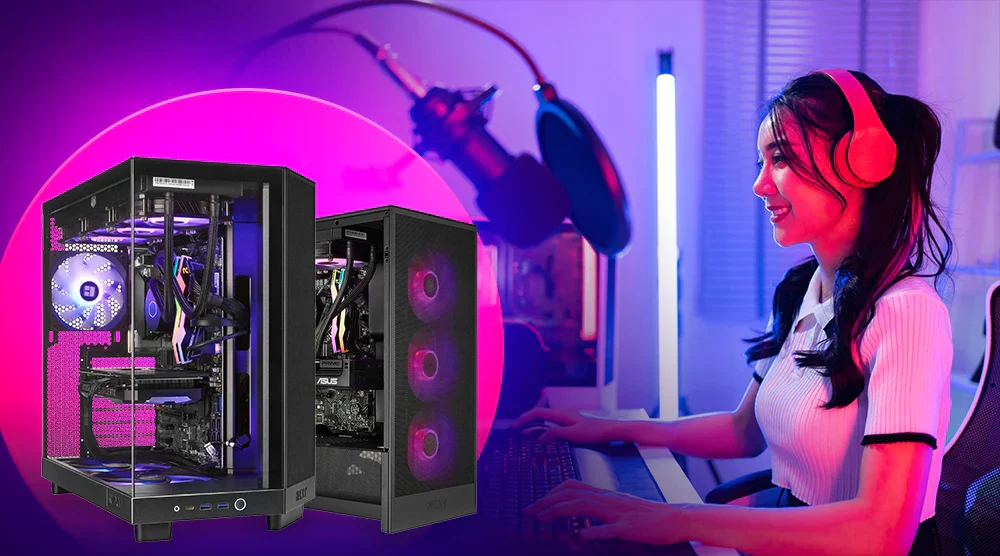
Essential Components for a Gaming Streaming PC
A gaming streaming PC must be powerful, efficient, and optimized for multitasking. From the processing capabilities of the CPU to clean audio ensured by noise cancellation technologies, each element plays a pivotal role in creating an immersive and uninterrupted streaming experience.
Selecting the Right CPU for Game Streaming
The AMD Ryzen 7 7800X3D emerges as an exceptional choice for a game streaming PC due to its substantial 96MB of L3 cache, enhancing gaming performance which often benefits from larger cache sizes.
This, coupled with its efficient 5nm process and performance-oriented all-core design, allows for excellent gaming prowess while being power-efficient, crucial for extended streaming sessions.
Despite the Intel Core i7-13700K’s higher raw multi-core performance, the Ryzen’s gaming-focused architecture and better performance-per-watt ratio make it a superior option for gamers prioritizing efficiency and top-tier in-game performance.
Noise Cancellation Software & Hardware
Right now the most popular noise cancellation software (AI) graphics card brand is Nvidia RTX graphics cards. With the NVC encoder and additional features like Nvidia broadcast, if you weren’t already using a gaming headset with an active noise cancellation microphone built into it, like the Razer Kraken, then you can use a feature like RTX voice.
This will do its AI-based noise cancellation for whatever microphone you’re using. Or better yet, you can combine both to have absolutely zero extraneous background noise with your microphone on your Twitch or YouTube livestream.
Unfortunately, though AMD does have its version of RTX Voice through the means of AMD noise suppression now, it isn’t as good as RTX Voice. Regardless, you may not need RTX Voice or AMD noise suppression at all if you have a high-quality USB microphone like the Elgato Wave 3.
The cardioid pickup pattern in this microphone ensures clear sound for your streams. It blocks out unwanted noise effectively. StudioBinder explains that this pattern is quite common. It picks up the sound best from the front and least from the back. Sounds from the sides are also minimized. This makes it a top choice for clean, focused audio.
When it comes to noise cancellation software, it’s either a necessity or an accessory depending on your situation. If you have a high-quality microphone like one from the Elgato Wave 3 or a good one with built-in noise cancellation like from the Razer Kraken, you won’t need one at all.
Choosing the Right Graphics Card (NVENC vs AMD AMF)
When deciding on a streaming encoder, your video output to platforms like YouTube or Twitch hangs in the balance. As of 2023, you’re looking at Nvidia’s NVENC versus AMD’s AMF encoder. NVENC boasts slightly better video quality, but AMD’s AMF trails closely.
CPU-based software encoders are outperformed by these hardware options, especially with the promise of superior AV1 encoding looming. You may not notice much difference between NVENC and AMF until you integrate complex visuals or a detailed camera feed. For high-end feeds, such as from the Canon R10, an encoder that maintains image integrity is vital.
Here’s the crux: Are you inclined to invest more in a graphics card for marginally better streaming quality, at the expense of gaming performance? Or opt for a less expensive, faster gaming card with a slightly less capable built-in encoder? This choice hinges on your priorities.
For those seeking a middle ground, pairing an Intel Arc A320 for its advanced AV1 encoder with a separate gaming-dedicated card could be the ideal compromise. In summary, your selection will define your online streaming and gaming presence.
Many reviewers suggest that over 16 gigabytes of RAM should suffice, but that’s not always the case. We’ve seen gamers who followed this advice struggle with the latest triple-A titles. Modern games can use upwards of 20GB of RAM at 1440p resolution, and that’s before considering the demands of recording and streaming in 2k and 1080p respectively.
For future-proofing, we recommend at least 64 GB of RAM with the highest speed and lowest latency available. If you’re aiming for a top-tier gaming and streaming setup, consider stepping up to a 128GB kit. This ensures your PC won’t just cope but excel under the heavy multitasking load of modern gaming and content creation.
When planning storage for your setup, consider the space needed for archiving streams; they consume significant space. You’ll also require fast write/read speeds because extensive gaming sessions generate large amounts of data quickly.
A practical solution is combining a 2TB NVMe M.2 drive with a high-capacity SATA SSD. Alternatively, with current market prices, you might find it better to invest in multiple NVMe drives.
Cooling
Cooling is crucial for a streaming PC, yet it’s often overlooked. Good cooling means you’r3 Gaming PC won’t overheat during long streams.
Ensure your PC has plenty of case fans. You need them to direct air to the GPU and out as exhaust. For optimal cooling, consider a high-quality air cooler. The Noctua NH-D15 is an excellent choice.

Leave a Reply